

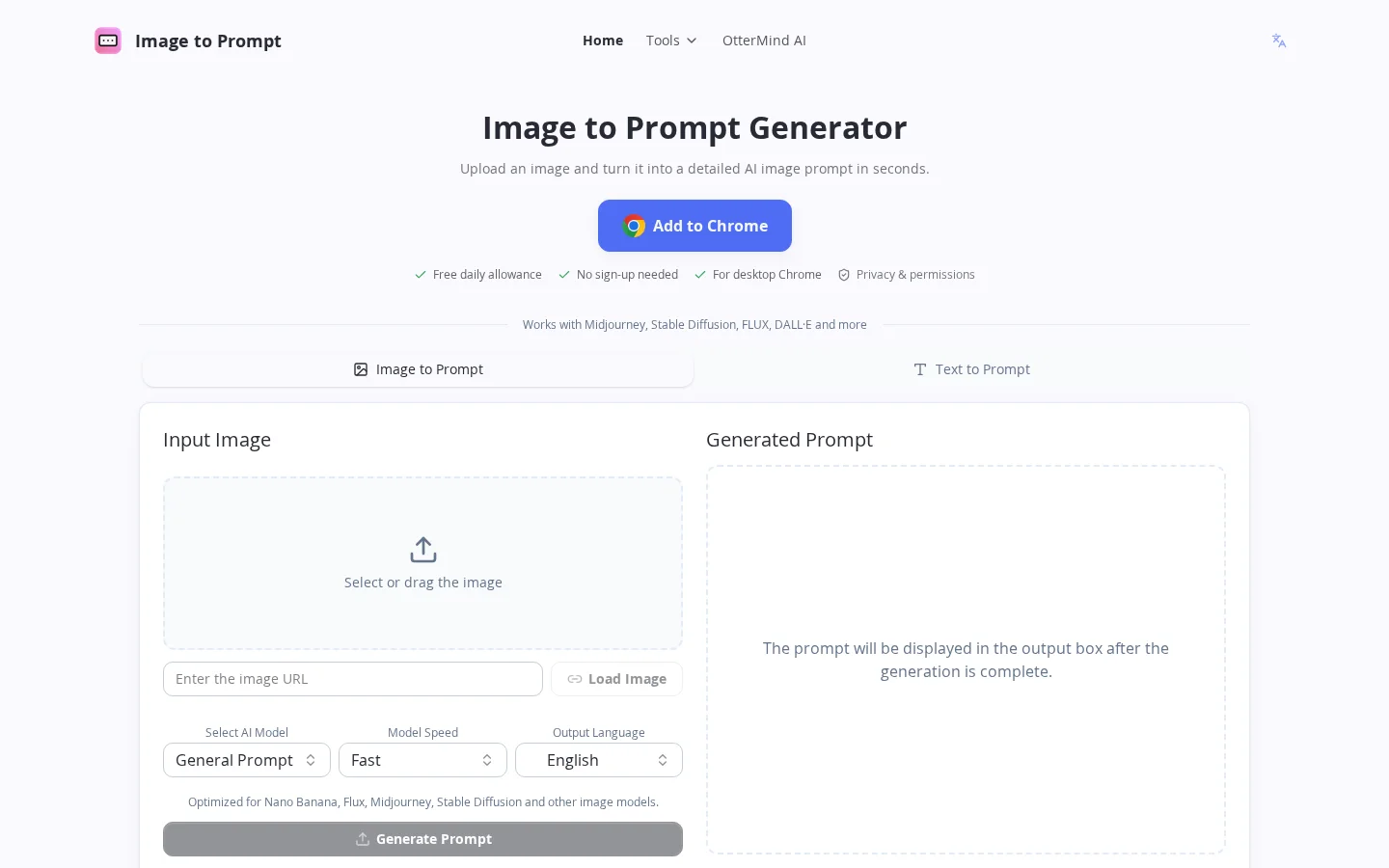
What is ImageTo Prompt?
Image to Prompt is a practical AI tool designed for creatives, designers, product managers, educators, and researchers. It can analyze any uploaded image—whether it’s a design draft, product poster, hand-drawn sketch, or photographic material—and generate a clear, well-structured AI image-generation prompt within seconds, encompassing critical dimensions such as subject, style, lighting, composition, and mood. Completely free, with unlimited uses, no mandatory registration, and no storage of user images, all processing is conducted under strict privacy safeguards. The tool has been widely adopted across various scenarios, including cross-functional collaboration, educational demonstrations, marketing content creation, and academic research support.
Key features
Supports one-click uploading of local images or pasting an image URL, automatically generating optimized prompts compatible with Midjourney, Stable Diffusion, FLUX, DALL·E, and many other models.
The default output language is English, with prompt content precisely covering core descriptive elements such as the subject, style, lighting, composition, and mood within the image.
Use cases and audience
Visual designers, product managers, marketers, educators, user experience researchers, content creators, and beginners in AI image generation.
- Automatically transforms design sketches into readable textual descriptions, enhancing communication efficiency between designers and development teams.
- Quickly generate engaging copy that matches your images, enhancing content appeal for marketers
- Help educators turn instructional images into vivid descriptions, boosting classroom engagement
A single uploaded image (in JPEG/PNG format) or an input image URL.
A structured English prompt for AI image generators—such as Midjourney, Stable Diffusion, FLUX, DALL·E, and others—covering key aspects like subject, style, lighting, composition, and atmosphere.
Frequently asked questions
Will the uploaded image be saved or shared?
No. To protect your privacy, the server does not store any uploaded images and deletes the generated prompts immediately after processing.
Is the generated prompt accurate? What if it’s not ideal?
The accuracy of the prompt depends on the clarity of the original image and how clearly the subject is defined. If the result isn't accurate enough, we recommend trying again with a clearer image and a simpler composition.
How to use
- 01
Upload a clear image with a well-defined subject (supports JPEG and PNG formats)
- 02
Select your desired AI image model (such as Midjourney, Stable Diffusion, FLUX, etc.)
- 03
Click the “Generate Prompt” button to start the conversion process
- 04
Wait a few seconds; the generated prompt will appear in the output box
Pricing and availability
It’s completely free to use—no registration or login required, and there’s no limit on the number of generations. Currently, there are no paid versions or usage limits.
- Pricing source
- https://imagetoprompt.org/
- Pricing last updated
- 2026-10-29
Prices and limits may change. Check the official website for current terms.
Official website & sources
Updated on 2026-10-29

