

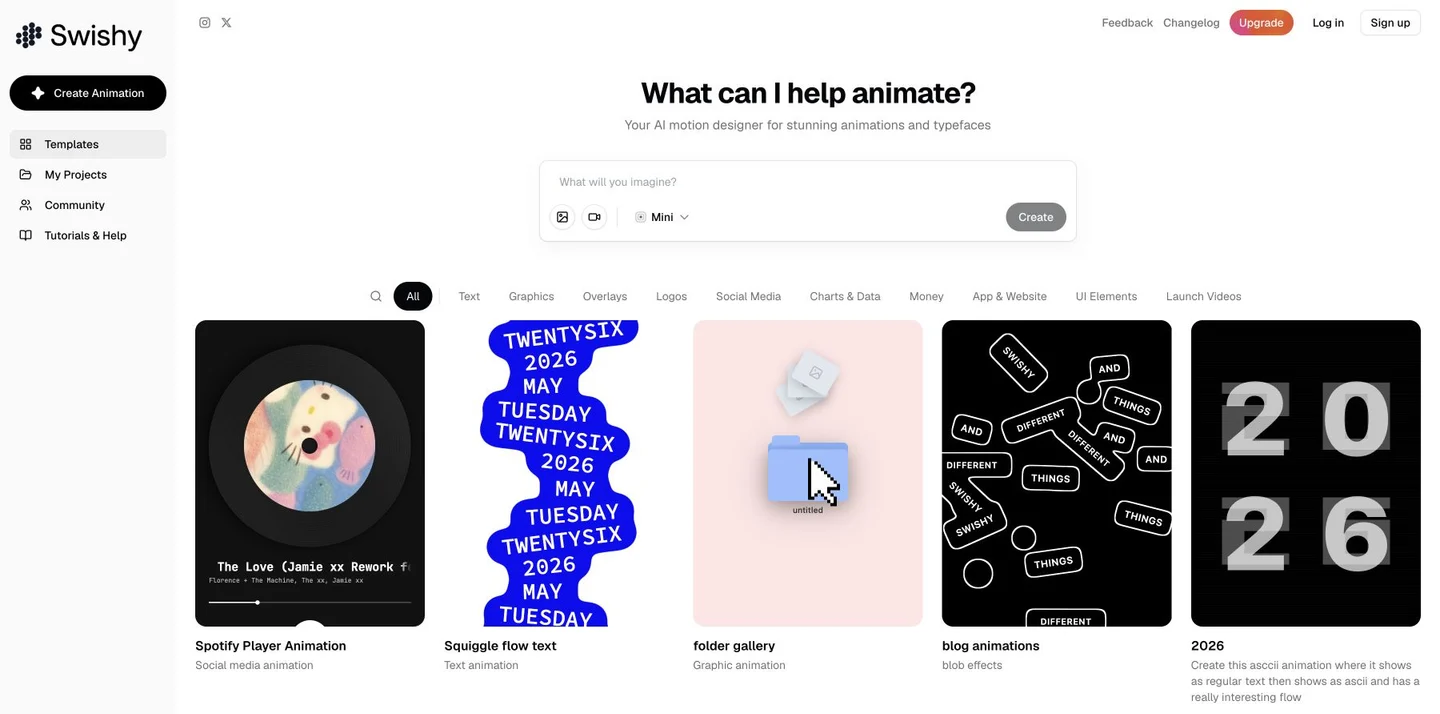
What is Swishy?
Swishy centralizes motion‑design inputs, reference assets, and templates within a single web‑based workspace. Users can specify the text, visuals, and desired animations, add images or videos as references, and then select from the available model presets to create their animations.
Templates are categorized by dynamic text, graphics, overlay effects, logos, social media content, chart data, and interface elements. They’re ideal for creating titles, brand showcases, product launch video clips, and data animations; My Projects and the Community portal help organize your work and explore different visual directions.
The official documentation supports exporting in MP4, MOV, and GIF formats; specific model types, video quality, and export permissions depend on your account plan. Before submitting, clearly define the font, pacing, dimensions, and intended use of reference assets. After completion, verify text readability, logo details, motion transitions, and asset licensing. The duration listed for public examples and promotional outputs does not reflect the quality or time required for every task.
Key features
Motion input: textual descriptions, along with image and video references.
Template categories: fonts, logos, social media, charts, and UI elements.
Model selection: Created according to the tiers supported by the account.
Work organization: Projects, communities, and multi-format export instructions.
Use cases and audience
Designed for designers and content creators who need to create motion graphics for brands, short videos, product showcases, and interface design.
- Create dynamic headlines and brand logo snippets.
- Add graphic animations to product launches or social videos.
- Animate numbers alongside interface elements.
Text ideas, image or video references, as well as requirements for size, pacing, and style.
The generated dynamic visual content and the account allow exporting in formats such as MP4, MOV, GIF, etc.
How to use
- 01
Choose a blank animation or a template from the corresponding category.
- 02
Describe the text, visuals, and motion, and include any necessary references.
- 03
Verify the model tier and the current points requirements.
- 04
Check the preview and text details, then export according to the plan.
Benefits and limitations
Benefits
- Reference inputs are grouped with multi-category animation templates.
Limitations
- Model and output entitlements are subject to the account plan.
- Text, rhythm, and complex movements still require manual review.
Pricing and availability
Paid
2026-10-24 Verify the official website’s Upgrade plan window: After switching to Monthly, Beginner is USD 19/month with 150 AI credits per month, while Pro is USD 49/month with 400 AI credits per month. For Yearly, Beginner is USD 144/year and Pro is USD 300/year, equivalent to USD 12/month and USD 25/month, respectively—both are annual prices rather than monthly ones.
- Pricing source
- https://www.swishy.ai/
- Pricing last updated
- 2026-10-24
Prices and limits may change. Check the official website for current terms.
Official website & sources
Sources
Updated on 2026-10-24

