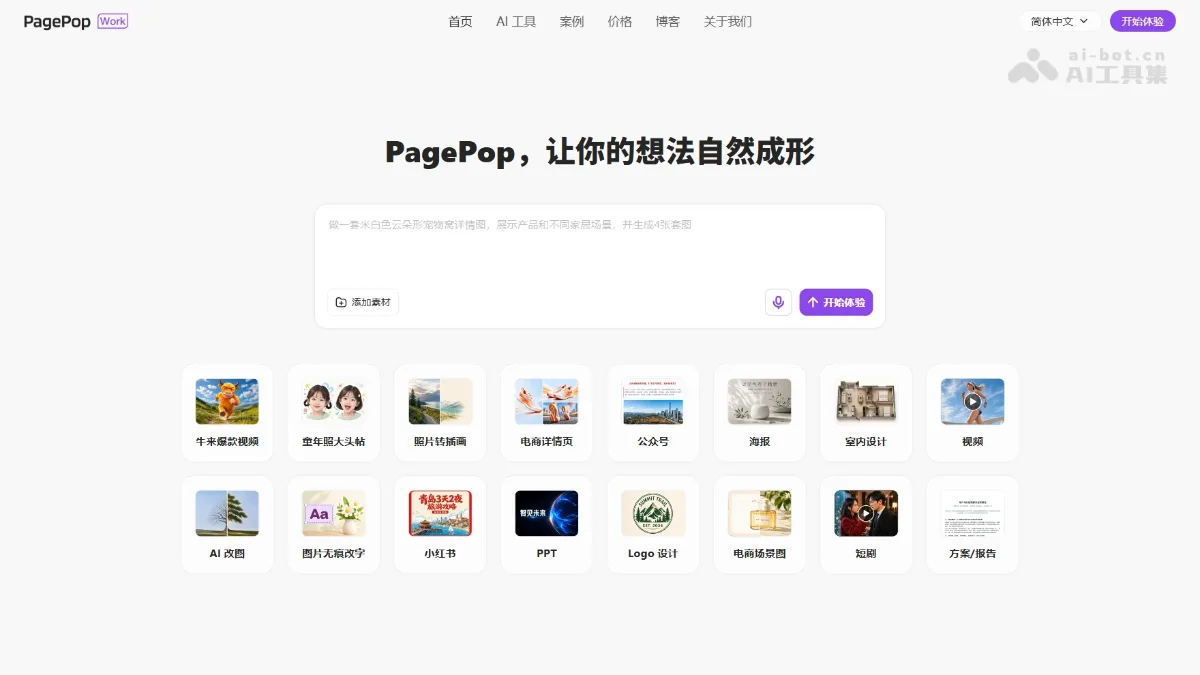
What is PagePop?
PagePop can directly accept task descriptions, or you can first select a domain assistant and then add details such as objectives, target audiences, and reference materials. The page displays examples like product image sets, brand visuals, marketing copy, courseware, and presentations, allowing users to continue refining the direction and details within the same conversation.
The platform provides access to images, videos, social media posts, long-form content, PPTs, documents, and educational materials; however, the data, results, and model names shown in the examples do not imply that every account has the same permissions. After generation, please verify the product’s appearance, text, facts, and translation—do not treat the demonstration examples as approved business outcomes.
Key features
Natural Language Task Creation
Domain-specific assistant
Images and product visuals
Video and social media graphics
PPTs, documents, and courseware
Dialogue Iteration
Use cases and audience
E-commerce, marketing, design, education, and office users
- Prepare products and marketing content
- Creating instructional and training materials
- Explore multiple visual and document directions
Task description, images, links, or documents
Images, videos, image-and-text content, presentations, and documents
How to use
- 01
Describe the objective or select a scenario assistant, then add authorized assets.
- 02
Review the generated content and propose specific edits through dialogue.
- 03
After confirming the plan, points, and usage permissions, save the results.
Pricing and availability
2026-10-25 The official website lists free trials and the Starter, Standard, and Professional plans. Members receive benefits and corresponding points; point packages only supplement usage and do not grant standalone membership perks. Specifications, balances, and expiration dates are confirmed on the account and pricing page, with amounts not yet fully verified.
- Pricing source
- https://www.pagepop.cn/
- Pricing last updated
- 2026-10-25
Prices and limits may change. Check the official website for current terms.
Official website & sources
Updated on 2026-10-25