
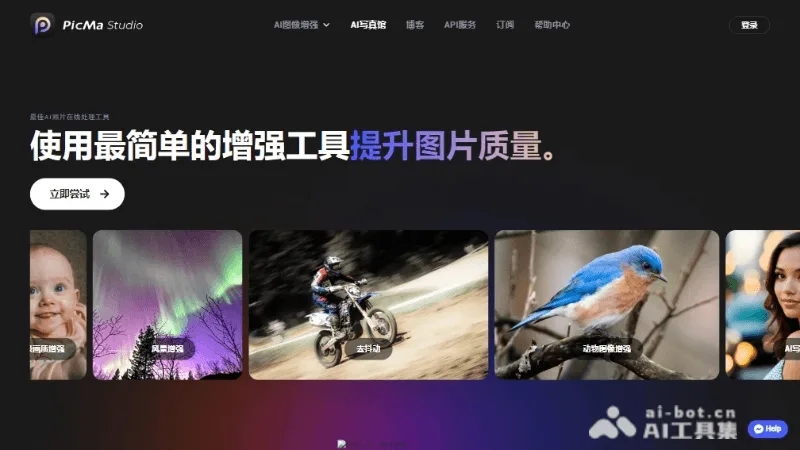
What is PicMa Studio?
PicMa Studio is an AI-powered creative platform for creators and marketers, offering capabilities such as image-to-video conversion, AI‑driven dynamic video generation, professional‑grade image enhancement, intelligent image upscaling, product retouching, colorization of black-and-white photos, shake reduction, video enhancement, and AI‑based video repair, enhancement, and optimization. It supports uploading local images (BMP, JPG, JPEG, PNG, WebP, up to 20 MB) and is ideal for e‑commerce visual optimization, old photo restoration, short‑video content creation, and other use cases.
Key features
Image-to-Video / AI-Powered Dynamic Video Generation
Black-and-white photo colorization: Turn black-and-white images into color in seconds
Use cases and audience
AI creative platform for creators and marketers
- Image-to-Video: Generate Dynamic Videos from Static Images
- Old Photo Restoration: Colorizing Black-and-White Photos, Reducing Shaking, and Enhancing Clarity
- E-commerce Product Enhancement: Improving Image Quality to Boost Conversion Rates
bmp/jpg/jpeg/png/webp formats, up to 20MB
Enhanced high-definition images or generated dynamic videos
Frequently asked questions
Does PicMa Studio support local image uploads?
Supported. Users can upload local images for AI enhancement or video generation.
What are the file format and size limits for PicMa Studio?
Supports BMP, JPG, JPEG, PNG, and WEBP formats; maximum file size is 20 MB.
How to use
- 01
Upload local image
- 02
Select the enhancement or generation task type
- 03
Waiting for AI processing to complete
- 04
Download or share the results
Official website & sources
Updated on 2026-10-27


